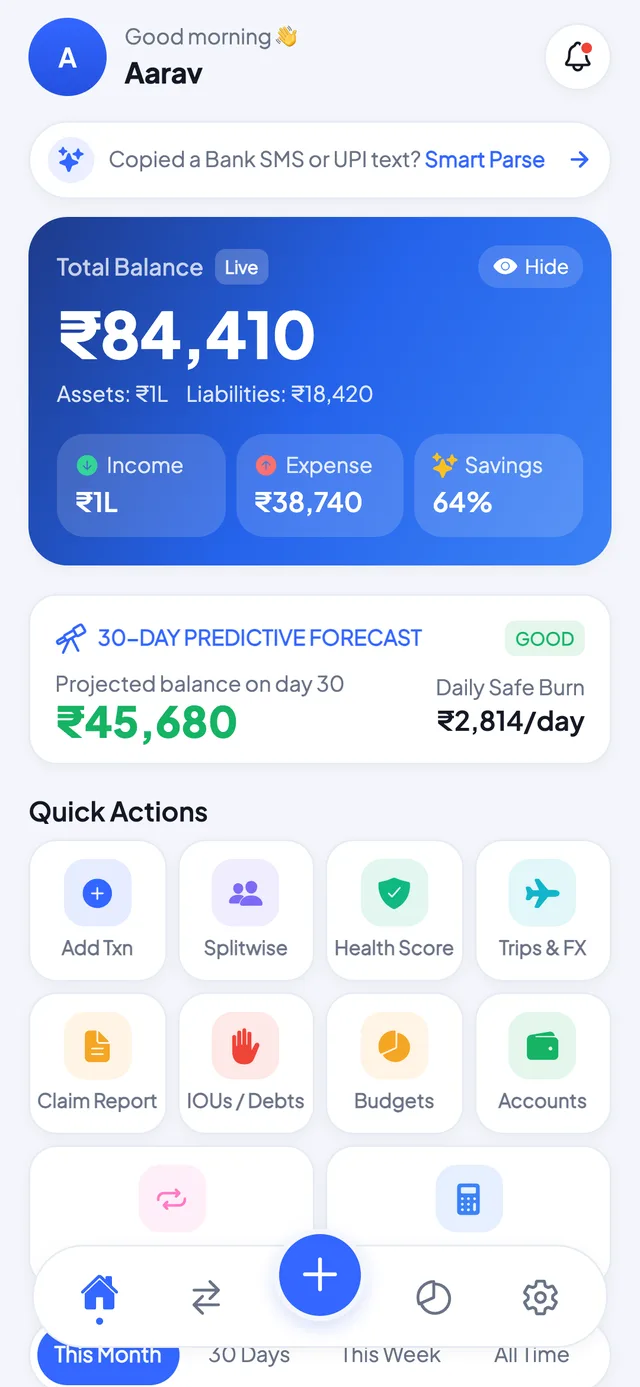
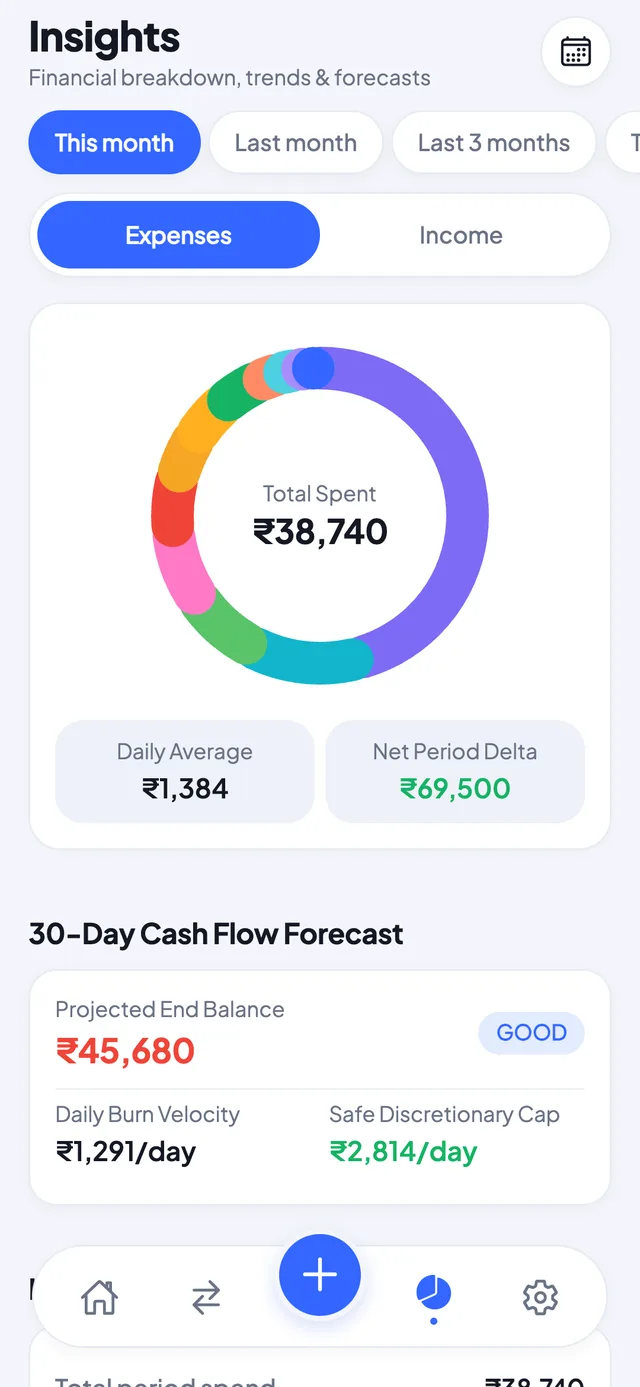
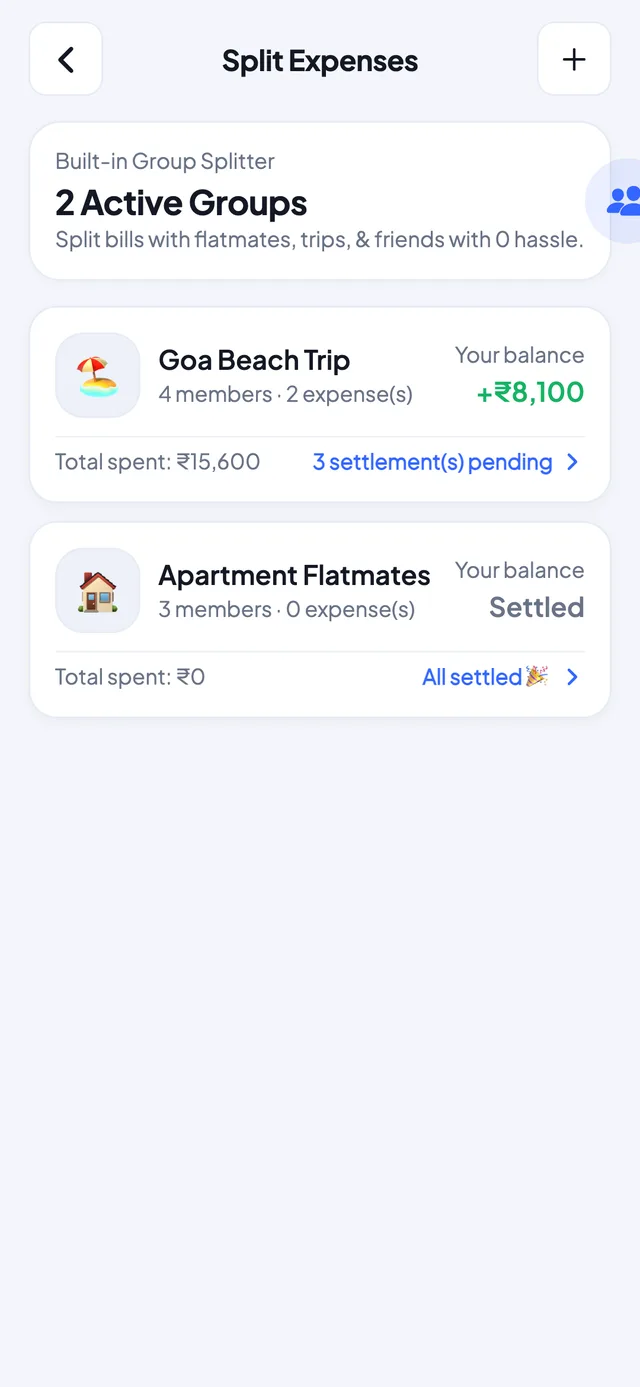
Expense Tracker: Income Manager logs an expense in three taps. It also splits the dinner bill, tracks each loan and EMI, and shows what you can safely spend today. None of it needs an account, ads or an internet connection, and your data stays on your phone. It runs on Android and iPhone.
An offline expense tracker stores every transaction on your phone rather than on a company server. It works fully in airplane mode, needs no account and no bank login, and keeps your financial history readable only on the device that recorded it.
Plenty of apps call themselves offline and still need a server. The split that matters is offline-first versus a cached offline mode, and you find out which one you have the moment you open the app on a plane:
| Type | Where your data lives | In airplane mode | Account required | Example |
|---|---|---|---|---|
| Offline-first | On the device | Everything works | No | Expense Tracker: Income Manager, Monefy |
| Offline mode | On a server, cached on the device | Viewing and queued edits only | Yes | Most cloud budgeting apps |
| Online-only | On a server | Nothing works | Yes | Bank-linking aggregators |
Offline-first means no server is involved at all. There is no cache to refresh and no network round trip to wait for.
There is no account and no cloud sync, so every feature below works in airplane mode.
Type the amount, pick a category, save. Receipts, tags and notes are there when you want more detail.
Set a limit per category and a monthly cap, and the app turns them into one number you can spend today. Not sure how to split your income? Try the 50/30/20 budget calculator.
Split a trip, a flat or a dinner, see who owes whom, and mark it settled in one tap. Want to check a split first? Use the bill split calculator.
Shows where your balance is heading over the next 30 days and sets a daily spending cap to keep you on track.
A score from 0 to 100 built from your savings, budgets, debt and emergency runway. The emergency fund calculator shows how many months of cover you have.
Every loan gets a payoff meter and EMI reminders, and money you lent or borrowed is tracked per friend. Test a new loan first with the EMI calculator.
Set a budget for the trip and convert between currencies with no signal. There is a short guide on tracking money across currencies while travelling.
Turn expenses into a reimbursement claim in one click, or export tax-deduction records as PDF or CSV.
Lock the app with Face ID, a fingerprint or a PIN. The data never leaves your phone, so we never see it either. Here is what to check in any finance app.
Every transaction, budget and split group is written to a database file inside the app's own private storage on your phone. There is no account to create and no server holding a copy. That is why the app opens straight into your data instead of a login screen, and why it behaves the same in airplane mode as on Wi-Fi.
Nothing syncs on its own, so you decide when to back up. Settings → Backup writes one JSON file with your full history. Save it to Google Drive, iCloud Drive or your computer. On a new phone, go to Settings → Restore and pick that file. The right way to back up an offline finance app walks through a schedule that takes about a minute a month.
Lose the phone before you have ever exported a backup and the data is gone. Nobody can recover it, us included. That is the cost of having no cloud copy, and it is also why there is nothing anywhere to leak, sell or subpoena. Export a backup once after setup and you keep the privacy without the risk.
The usual objection to offline tracking is the typing. Most offline apps make you enter everything yourself, which is why people drift back to a cloud tracker that reads their bank feed. This app reads the transaction alerts your bank already texts you, and it does the reading on the phone.
Say your bank sends Rs 1,240.00 debited from A/c XX4417 to SWIGGY on 04-Sep-26. The parser matches the amount, the merchant string and the account tail, categorises SWIGGY as Food & Dining from its local merchant map, and writes a ₹1,240 expense. By the time you unlock your phone, the transaction is already in your ledger. The SMS never leaves the device: parsing runs locally and no message text is transmitted.
Read-SMS is a sensitive permission, and you should be wary of any finance app that asks for it. You can check before installing: open the Google Play data safety section and see what the app says it collects and shares. This one declares no collection of your financial data. Parsing runs on the device, and only the extracted amount and merchant go into your local ledger. Network access is used for store purchases, not for your data. If you would rather not grant SMS at all, everything else works and you enter transactions by hand.
UPI alerts parse the same way. That matters in India, where most day-to-day spending now runs through UPI rather than cash.
Splitwise is the standard for splitting bills, but it needs an account and a connection. The offline trackers keep data local but skip groups, loans and forecasting. This app tries to do both.
| App | Works fully offline | Account required | Ads | Bill splitting | Loans & EMIs | Cash forecast |
|---|---|---|---|---|---|---|
| Expense Tracker: Income Manager | Yes | No | None | Yes | Yes | Yes |
| Splitwise | No | Yes | On free tier | Yes | No | No |
| Monefy | Yes | No | On free tier | No | No | No |
| Money Manager (Realbyte) | Yes | No | On free tier | No | No | No |
| Pocket Clear | Yes | No | None | No | No | No |
Competitor details checked September 2026 against each app’s public store listing. Apps change; check the current listing before you decide.
No ads on any plan. Prices shown in your local currency, billed by Google Play or the App Store.
Purchases are processed securely by Google Play / the App Store. We never see your payment details.
Work out an EMI, a SIP, an FD or a retirement corpus before you start tracking. The formulas are the standard ones banks use, and nothing needs a sign-in.
Yes. Every feature works in airplane mode, including expense entry, budgets, group bill splits, the 30-day forecast and reports. The app has no server to talk to, so there is nothing to wait for and nothing to fail when you are offline.
It depends on what you need beyond logging spend, and this is our own app’s page, so weigh it accordingly. For solo manual tracking with a clean interface, Monefy and Money Manager are the long-standing choices. For splitting bills with friends, Splitwise is the standard, though it needs an account and a connection. Expense Tracker: Income Manager covers the overlap the others leave out: offline tracking plus group splits, loans and EMIs, and a 30-day forecast in one app with no account. Judge any of them on three things: whether it truly works in airplane mode, whether you can export a backup you control, and what its store data-safety declaration actually says.
Because there is no account and no cloud copy, a lost phone means lost data unless you have exported a backup. Use Settings → Backup to write a JSON file and save it to Google Drive, iCloud Drive or your computer. Restoring on a new phone is Settings → Restore, then choosing that file.
Yes, free forever, with no ads on any tier. The free plan covers unlimited expense and income tracking, budgets, insights, the calendar, local backup and JSON export. Pro unlocks the 30-day forecaster, the health score, SMS and UPI auto-parsing, claims and reports.
Android through Google Play, and iOS (iPhone and iPad) through the App Store. The same offline-first design applies on both.
Splitwise is built around an account and a server, so splitting needs a connection and your group data sits with the provider. This app splits bills on the device with no account at all, and it also tracks your personal budgets, loans and EMIs in the same place, which Splitwise does not do. How to avoid money fights in friend groups covers the etiquette side.
No. Parsing happens entirely on the device. The app reads the bank alert, extracts the amount and merchant, and writes a transaction locally. The message text is never uploaded. Network access exists only for Play Store purchases, and the Google Play data safety section is the place to verify what is and is not collected.

Gurjeet Singh, Sharpen Solutions. I built this after going through the permission screens of the popular expense trackers and finding that most wanted my bank credentials, an account on their server, or both. The problem they were solving is really just arithmetic on my own phone. I went offline-first because it was the shortest path to an app I was willing to put my own salary into.
The same reasoning produced the rest of this site: 215 financial calculators and a library of money guides. All of it is free and none of it asks you to sign in. If a tool can run without collecting anything, it should.
Feature requests reach me directly at [email protected]. There is no support team in between.
Found a bug, want a feature or have a question about the app? Send a message. The developer reads every one.
expensetracker:// opens the app directly from a link.
Your financial data never touches a server, so there is nothing for us to leak, sell or lose. Read the policy.